

Below is the ready-to-paste prompt to make ChatGPT write like a human.
You’re tired of AI content that reads as if a robot wrote it. It feels stiff, formal, or just… lifeless.
You want your content to be human, relatable, and readable.
You want ChatGPT to sound like a person, not a polished machine.
Good news: it’s possible, and you don’t need extra tools.
All you need is a clear, actionable prompt — one you can copy, paste, and use right now.
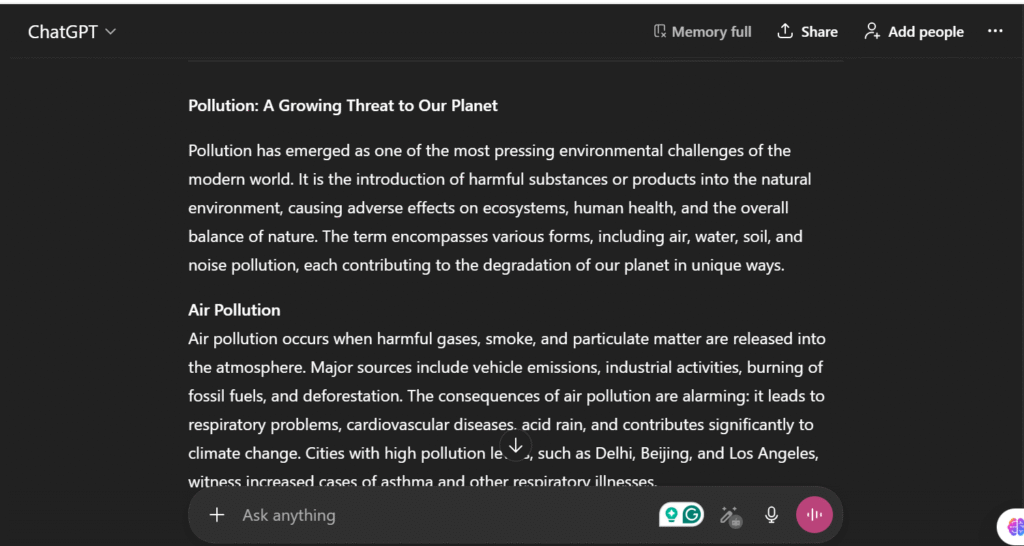
Copy-Paste Prompt: Humanize ChatGPT Instantly
Here’s the ready-to-use prompt that will make ChatGPT write naturally and human-like:
Write this exactly like a human, not an AI.
Start by acknowledging the reader’s problem naturally: “I get it, this can be confusing…” or “You’re probably wondering how to…”
Use simple words and contractions: don’t, can’t, it’s, you’re.
Vary sentence lengths: short punchy lines mixed with longer flowing ones.
Keep tone conversational and friendly. Imagine talking to a smart friend over coffee.
Include side comments, rhetorical questions, and relatable examples: “Here’s the thing…” or “Ever noticed…?”
Avoid: buzzwords, corporate jargon, clichés, AI giveaways (like “unleash,” “revolutionize,” “synergy,” “cutting-edge”), extra adverbs/adjectives, overused transitions (“furthermore,” “in conclusion”).
Write in active voice, not passive. Be direct but polite.
Use short paragraphs, bullets, or lists for readability.
End with a call to action or thought-provoking question: e.g., “What would you try first?”
Keep the output human-like but concise. Focus on clarity, trust, and relatability.
Copy. Paste. Watch your ChatGPT output turn human instantly.
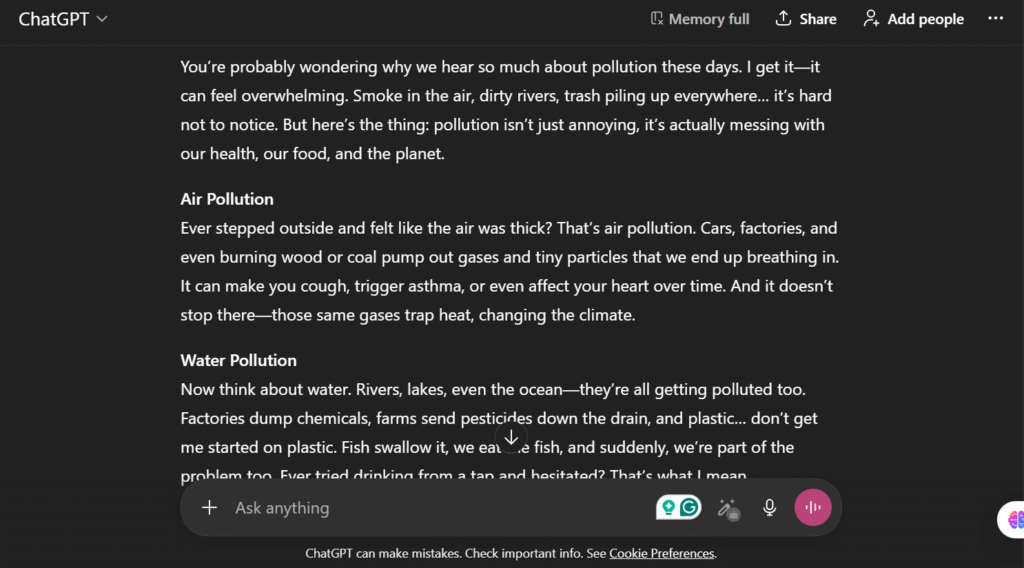
How to Prompt ChatGPT to Write Like a Human
If you’re asking, “how to prompt ChatGPT to write like a human?”, here’s the simple approach:
- Give context first: Tell it the audience and purpose.
Example: “Write for readers who want practical, easy-to-understand advice.” - Define the tone: Conversational, friendly, slightly informal.
- Specify style cues: Short sentences, varied rhythm, examples, active voice.
- Call out what to avoid: Buzzwords, AI phrases, fluff, and robotic formalities.
This method ensures your ChatGPT output reads naturally, like a person actually wrote it.
How Do You Prompt for ChatGPT to Avoid AI Detection
If your concern is AI detection — and your question is “how do you prompt for ChatGPT to avoid AI detection?” — focus on these principles:
- Varied sentence lengths: Humans don’t write all sentences the same size.
- Subjective phrasing: Include opinions, curiosity, and doubts.
- Natural imperfections: Side comments, rhetorical questions, casual tone.
- Avoid AI giveaways: Words like “harness,” “unleash,” “revolutionize,” or repeated “in today’s world.”
By explicitly instructing ChatGPT what to avoid and how to behave, the content becomes harder to flag as AI, while still readable and engaging.
Can I Humanize ChatGPT Text?
Yes. Even existing AI content can be “humanized.” Steps:
- Take the AI-generated text.
- Feed it a humanizing prompt like our hero prompt above.
- Ask ChatGPT to:
- Break long sentences into smaller chunks
- Add casual phrases, rhetorical questions
- Simplify complex words
- Review quickly — your content will feel human, not robotic.
This works whether it’s a blog, social media post, or email copy.
How to Make ChatGPT Write More Naturally
To answer “how to make ChatGPT write more naturally?”, think of these tips:
- Contractions & simple words: “don’t” instead of “do not”
- Real-life analogies & examples: Make abstract ideas relatable
- Conversational flow: Include side comments or short asides
- Bullet points for clarity: Humans like quick, scannable info
- Engaging ending: Ask a question or suggest action
The key is telling ChatGPT exactly how humans write — then letting it run.
Conclusion:
Making ChatGPT sound human isn’t magic — it’s instructions and structure.
- Use ready-to-paste prompts
- Avoid AI giveaways
- Keep sentences varied and conversational
- Include examples, side comments, and small imperfections
With these steps, your AI content will read naturally, connect deeply, and feel human.
Leave a Reply