
I’ve been using ChatGPT for months now—researching, brainstorming, and even fact-checking news—but one day, it completely surprised me.
I asked it a straightforward question about a recent tech regulation, and it gave me a confidently wrong answer. Not a small error, but something that could have led me astray if I hadn’t double-checked.
That’s when I started thinking seriously: how often is ChatGPT wrong, and more importantly, why does ChatGPT give incorrect responses?
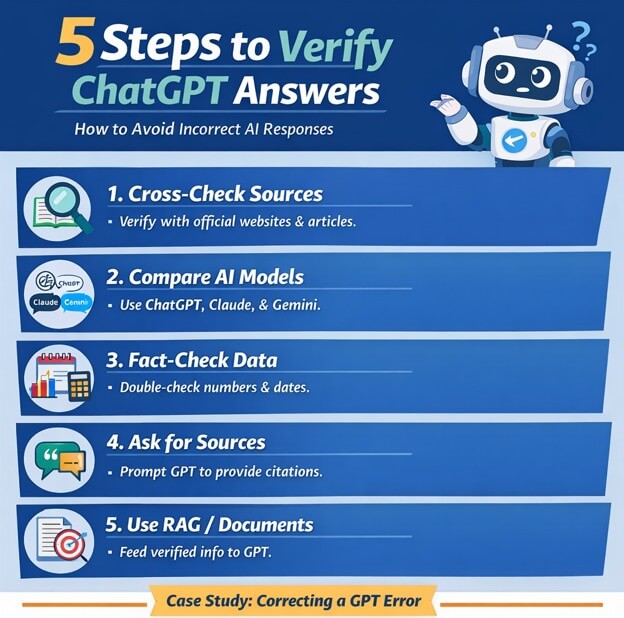
In this article, I’ll share my experience and show you five simple ways to verify ChatGPT answers, so you never take a wrong response at face value.
How Often is ChatGPT Wrong?
Even with GPT-5, hallucinations happen about 4–5% of the time, which might not sound like much—but in real-world tasks, that can be significant.
I noticed errors ranging from outdated news to miscalculated statistics, and sometimes it even made up sources. ChatGPT’s mistakes aren’t always obvious; it’s confident in its responses, which is why human oversight is essential.
From my personal testing, queries involving historical dates, complex coding, or financial data were most prone to errors. Understanding how often is ChatGPT wrong helps you treat it as a helpful assistant, not a flawless expert.
Why GPT Gives Incorrect Responses
Here’s the truth: ChatGPT doesn’t “know” things like humans. It predicts plausible answers based on its training data. Sometimes, that data is outdated, incomplete, or even contradictory.
This is why GPT may confidently state incorrect facts—also called hallucinations. Public data bias plays a role too: if a source is exaggerated or flawed, the AI will repeat it.
Even reasoning-focused models, designed to think harder, can fall for the same issue because they prioritize producing a coherent response over verifying truth. Trusting ChatGPT blindly can be dangerous if you’re relying on it for critical tasks.
Case Study
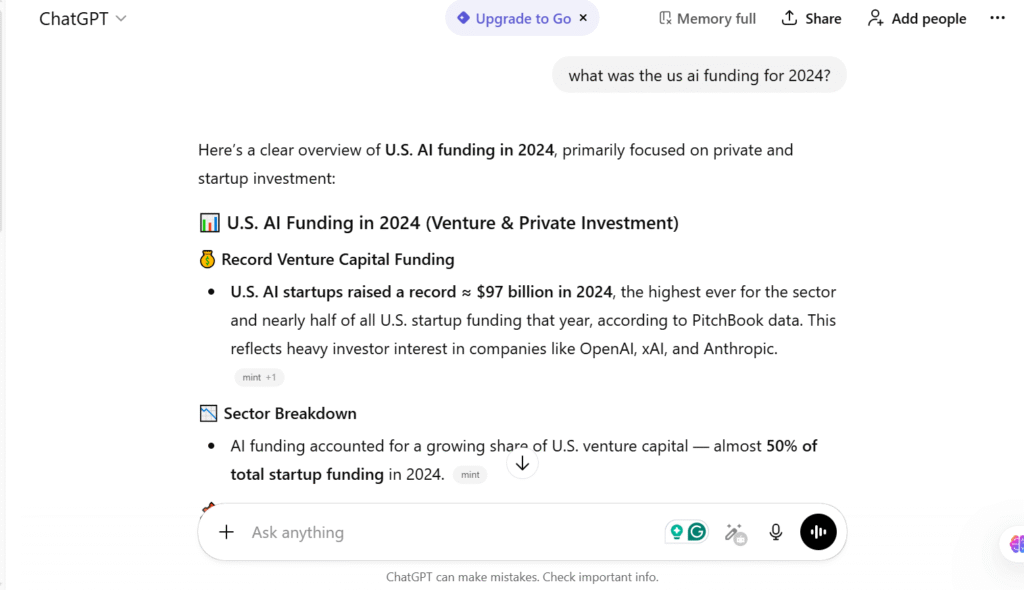
Here’s a real scenario from my own work. I asked ChatGPT: “What was the US AI funding for 2024?”
- Cross-checked official US government reports
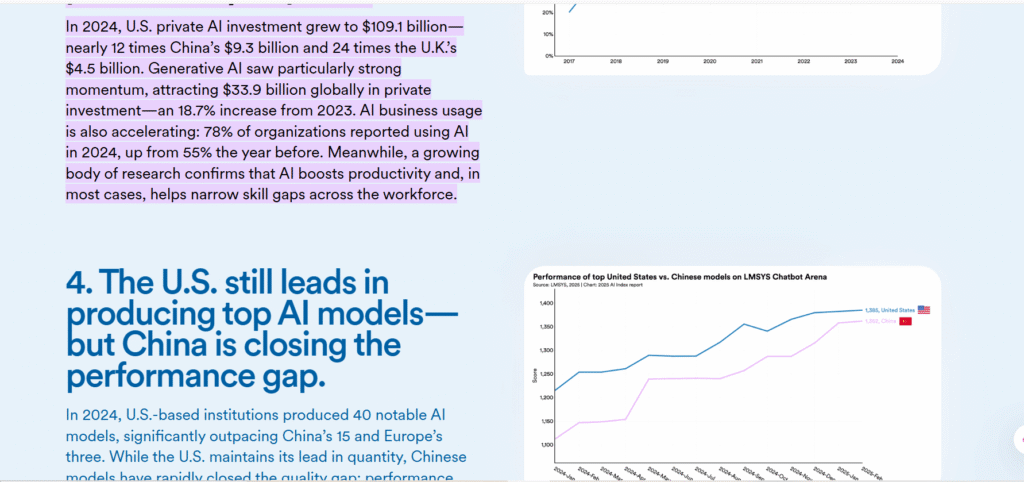
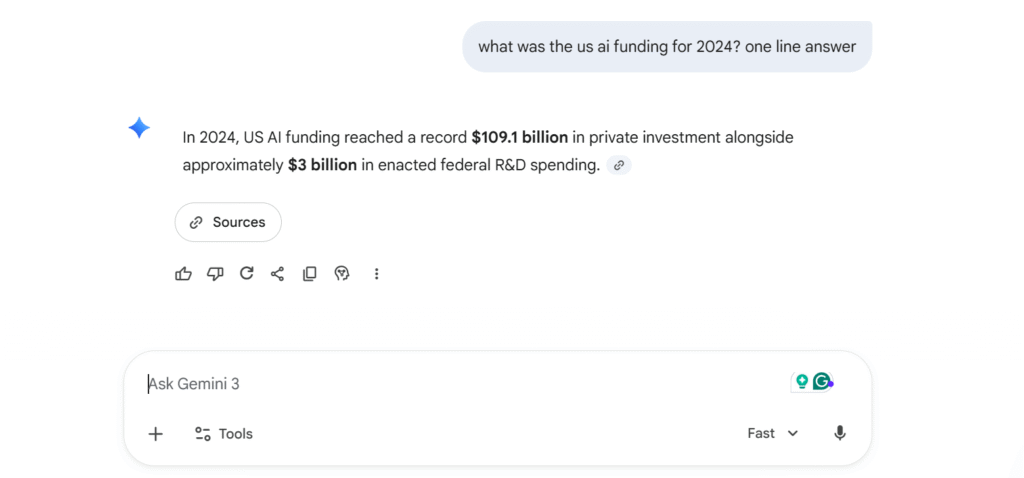
- Compared answers on Claude and Gemini → both models had slightly different numbers, but Gemini was closest.
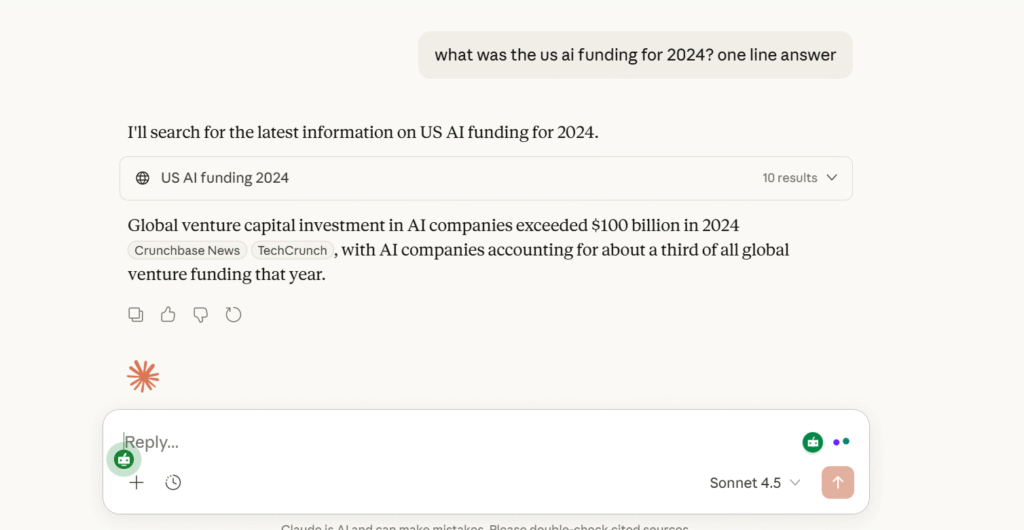
- Fact-checked dates and news reports
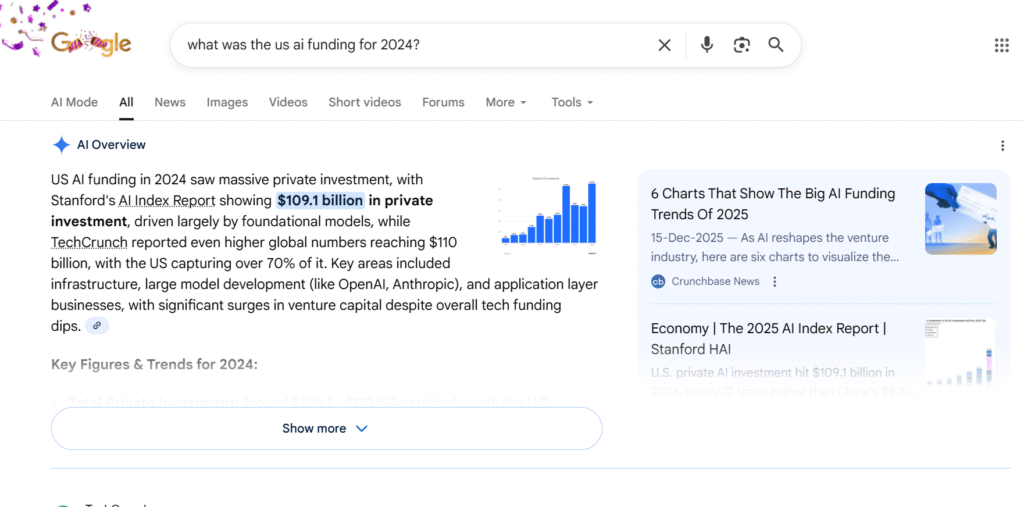
- Asked GPT for sources
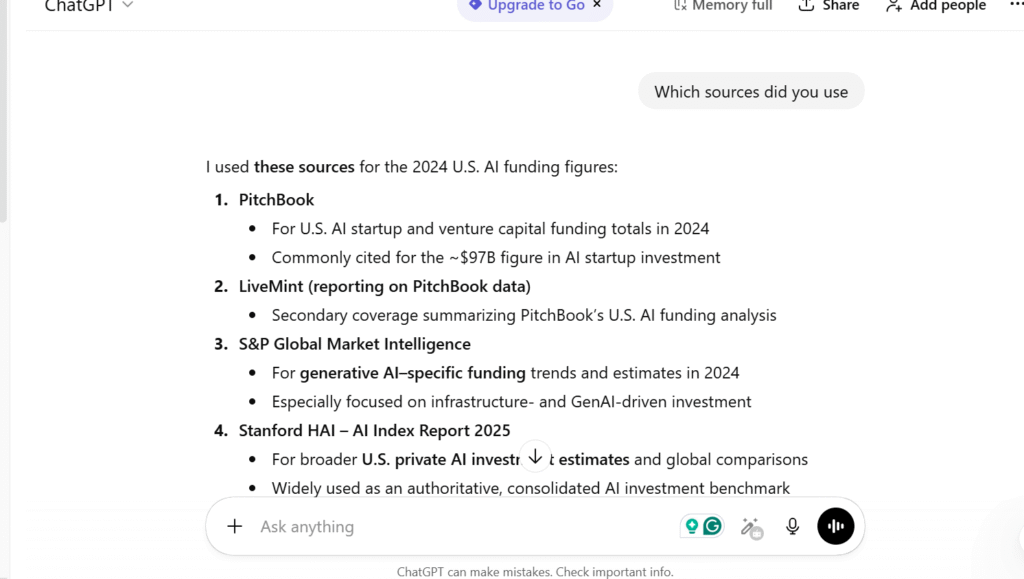
- RAG method using verified data
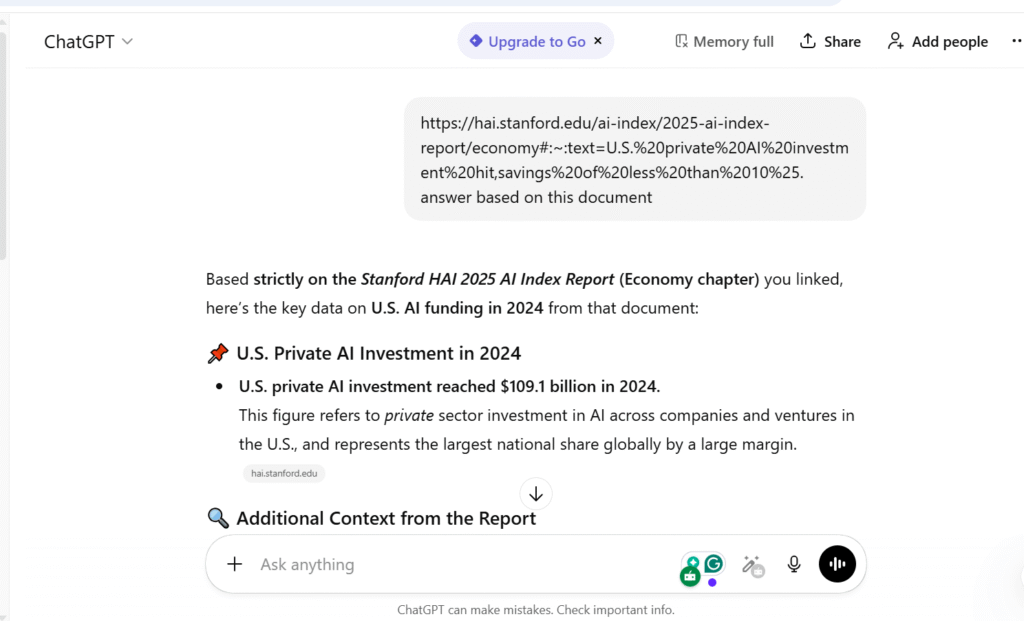
The difference wasn’t massive, but in professional work, it could have caused errors in analysis. This shows how a systematic verification approach fixes mistakes effectively.
5 Simple Methods to Verify GPT Answers
1. Cross-Check With Trusted Sources
Whenever I get an answer from ChatGPT, I verify it against official websites, Wikipedia citations, or research papers.
For example, I once asked about a government policy, and GPT provided a wrong implementation date. A quick check on the official government portal corrected it instantly. Using multiple credible sources prevents false info from slipping through.
2. Use Multiple AI Models
I like to run the same query on ChatGPT, Claude, and Gemini. Differences often reveal mistakes.
Recently, ChatGPT said a medical statistic was 12%, Claude said 18%, and Gemini correctly reported 15% (confirmed by research papers). Comparing results is surprisingly effective and doesn’t take much extra times.
3. Fact-Check Numbers and Dates Manually
Numbers and dates are where I’ve seen GPT falter most. I had it summarize AI funding statistics, and some figures were inflated.
I cross-checked manually with official reports and news archives. This simple step highlights that why ChatGPT gives incorrect responses is often due to inconsistent or outdated data in its training corpus.
4. Prompt for Sources
I always ask GPT to list its sources. For instance, when it gave me a definition of a new AI regulation, I prompted: “Which sources did you use?” Often, the citations were outdated or vague.
When a source doesn’t check out, I know to verify externally. It’s a habit that saves hours of guesswork.
5. Use RAG or Document Grounding
This is a favorite trick for me: I feed GPT a verified document or dataset and instruct it to answer based only on that.
Using RAG (Retrieval-Augmented Generation) drastically reduced hallucinations. For example, I uploaded a PDF of the latest labor law, asked GPT specific queries, and it produced precise, accurate responses every time.
Combining RAG with web-based search ensures data quality, which is key.
Conclusion
So, how often is ChatGPT wrong? Even in GPT-5, errors happen around 5% of the time, especially in specialized or rapidly evolving topics. Understanding why ChatGPT gives incorrect responses is crucial: it’s trained on vast, sometimes imperfect data and prioritizes plausibility over truth.
The good news is that verifying answers is simple. Using cross-checks, multiple AI models, fact-checking, prompting for sources, and RAG/document grounding takes just minutes and drastically improves accuracy. ChatGPT is amazing—but combining it with critical thinking ensures you get reliable results every time.
FAQs
1. How frequently is ChatGPT wrong?
You’ll notice that how often is ChatGPT wrong depends on the type of question you ask. Based on real-world testing and recent research, even advanced models like ChatGPT-5 can hallucinate around 4–5% of the time, especially when dealing with complex, technical, or niche topics. For casual queries, the error rate is lower—but it’s never zero.
2. Is ChatGPT giving wrong answers?
Yes, it can. At times, ChatGPT delivers responses that sound confident but turn out to be inaccurate or outdated. This usually happens because AI prioritizes generating a plausible answer over admitting uncertainty. That’s why you should always treat AI responses as a starting point, not the final authority.
3. Does ChatGPT make a lot of mistakes?
No, it doesn’t make mistakes constantly—but when it does, they matter. Errors tend to appear around statistics, dates, technical definitions, or professional advice. In high-stakes situations, even a single mistake can mislead you, which is why verification is essential.
4. Can ChatGPT be inaccurate?
Absolutely. Even reasoning-focused models can produce inaccuracies due to data limitations, benchmarking pressure, or hallucinations. If you’re wondering why does ChatGPT give incorrect responses, the short answer is this: it predicts language, not truth. You should always double-check important information using trusted sources.
Leave a Reply